Or is it?
Two and a half months in and I finally broke my Mint install on the desktop. I created the purple-screen “Kernel Panic” (reminiscent of the many BSOD’s I’ve encountered in Windows over the last 2+ decades).
The TL;DR is that I managed to figure out how to roll back to the Windows version of “Last Known Good” – a previous kernel.
This post is mostly a raw-form account of what was broken, how I tried to fix it, where I think I went wrong, and ends with what I hope to learn from the experience. And no, this has not led to me wanting to reinstall Windows 11 — far from it, I want to understand exactly what I did wrong, and why some things didn’t work as expected.
It Started With Updates
At some point in the last 3-4 weeks, I made a change on my system that caused the following error to pop up every time I ran updates:
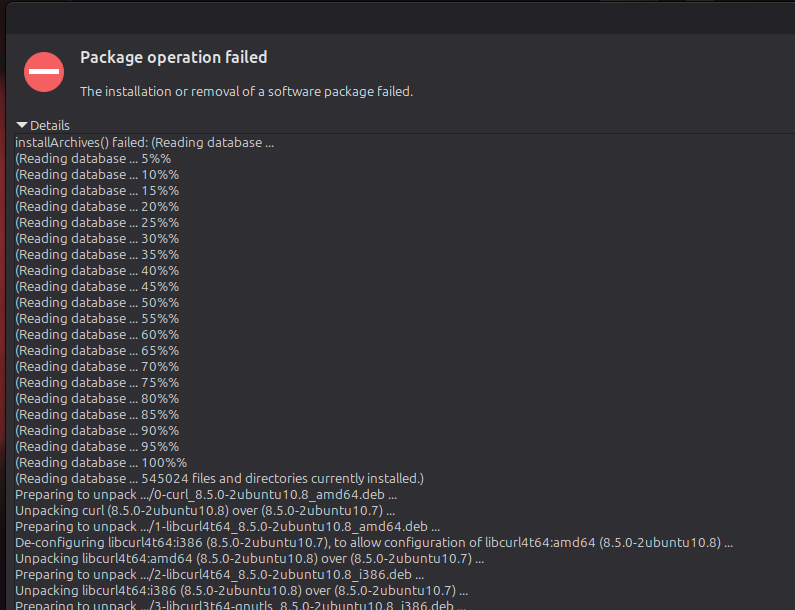
The full content of the error can be exposed here
InstallArchives() failed: (Reading database ...
(Reading database ... 5%%
(Reading database ... 10%%
(Reading database ... 15%%
(Reading database ... 20%%
(Reading database ... 25%%
(Reading database ... 30%%
(Reading database ... 35%%
(Reading database ... 40%%
(Reading database ... 45%%
(Reading database ... 50%%
(Reading database ... 55%%
(Reading database ... 60%%
(Reading database ... 65%%
(Reading database ... 70%%
(Reading database ... 75%%
(Reading database ... 80%%
(Reading database ... 85%%
(Reading database ... 90%%
(Reading database ... 95%%
(Reading database ... 100%%
(Reading database ... 545024 files and directories currently installed.)
Preparing to unpack .../0-curl_8.5.0-2ubuntu10.8_amd64.deb ...
Unpacking curl (8.5.0-2ubuntu10.8) over (8.5.0-2ubuntu10.7) ...
Preparing to unpack .../1-libcurl4t64_8.5.0-2ubuntu10.8_amd64.deb ...
De-configuring libcurl4t64:i386 (8.5.0-2ubuntu10.7), to allow configuration of libcurl4t64:amd64 (8.5.0-2ubuntu10.8) ...
Unpacking libcurl4t64:amd64 (8.5.0-2ubuntu10.8) over (8.5.0-2ubuntu10.7) ...
Preparing to unpack .../2-libcurl4t64_8.5.0-2ubuntu10.8_i386.deb ...
Unpacking libcurl4t64:i386 (8.5.0-2ubuntu10.8) over (8.5.0-2ubuntu10.7) ...
Preparing to unpack .../3-libcurl3t64-gnutls_8.5.0-2ubuntu10.8_i386.deb ...
De-configuring libcurl3t64-gnutls:amd64 (8.5.0-2ubuntu10.7), to allow configuration of libcurl3t64-gnutls:i386 (8.5.0-2ubuntu10.8) ...
Unpacking libcurl3t64-gnutls:i386 (8.5.0-2ubuntu10.8) over (8.5.0-2ubuntu10.7) ...
Preparing to unpack .../4-libcurl3t64-gnutls_8.5.0-2ubuntu10.8_amd64.deb ...
Unpacking libcurl3t64-gnutls:amd64 (8.5.0-2ubuntu10.8) over (8.5.0-2ubuntu10.7) ...
Preparing to unpack .../5-libgtk-4-common_4.14.5+ds-0ubuntu0.9_all.deb ...
Unpacking libgtk-4-common (4.14.5+ds-0ubuntu0.9) over (4.14.5+ds-0ubuntu0.7) ...
Preparing to unpack .../6-libgtk-4-1_4.14.5+ds-0ubuntu0.9_amd64.deb ...
Unpacking libgtk-4-1:amd64 (4.14.5+ds-0ubuntu0.9) over (4.14.5+ds-0ubuntu0.7) ...
Setting up linux-image-6.17.0-14-generic (6.17.0-14.14~24.04.1) ...
Setting up libcurl4t64:amd64 (8.5.0-2ubuntu10.8) ...
Setting up libcurl4t64:i386 (8.5.0-2ubuntu10.8) ...
Setting up libcurl3t64-gnutls:amd64 (8.5.0-2ubuntu10.8) ...
Setting up libcurl3t64-gnutls:i386 (8.5.0-2ubuntu10.8) ...
Setting up linux-headers-6.17.0-14-generic (6.17.0-14.14~24.04.1) ...
/etc/kernel/header_postinst.d/dkms:
 * dkms: running auto installation service for kernel 6.17.0-14-generic
Sign command: /usr/bin/kmodsign
Signing key: /var/lib/shim-signed/mok/MOK.priv
Public certificate (MOK): /var/lib/shim-signed/mok/MOK.der

Building module:
Cleaning build area...
make -j12 KERNELRELEASE=6.17.0-14-generic -C /lib/modules/6.17.0-14-generic/build M=/var/lib/dkms/virtualbox/7.0.16/build...(bad exit status: 2)
Error! Bad return status for module build on kernel: 6.17.0-14-generic (x86_64)
Consult /var/lib/dkms/virtualbox/7.0.16/build/make.log for more information.
dkms autoinstall on 6.17.0-14-generic/x86_64 failed for virtualbox(10)
Error! One or more modules failed to install during autoinstall.
Refer to previous errors for more information.
 * dkms: autoinstall for kernel 6.17.0-14-generic
   ...fail!
run-parts: /etc/kernel/header_postinst.d/dkms exited with return code 11
dpkg: error processing package linux-headers-6.17.0-14-generic (--configure):
 installed linux-headers-6.17.0-14-generic package post-installation script subprocess returned error exit status 11
dpkg: dependency problems prevent configuration of linux-headers-generic-hwe-24.04:
 linux-headers-generic-hwe-24.04 depends on linux-headers-6.17.0-14-generic; however:
  Package linux-headers-6.17.0-14-generic is not configured yet.

dpkg: error processing package linux-headers-generic-hwe-24.04 (--configure):
 dependency problems - leaving unconfigured
Setting up curl (8.5.0-2ubuntu10.8) ...
Setting up libgtk-4-common (4.14.5+ds-0ubuntu0.9) ...
dpkg: dependency problems prevent configuration of linux-generic-hwe-24.04:
 linux-generic-hwe-24.04 depends on linux-headers-generic-hwe-24.04 (= 6.17.0-14.14~24.04.1); however:
  Package linux-headers-generic-hwe-24.04 is not configured yet.

dpkg: error processing package linux-generic-hwe-24.04 (--configure):
 dependency problems - leaving unconfigured
Processing triggers for libc-bin (2.39-0ubuntu8.7) ...
Processing triggers for man-db (2.12.0-4build2) ...
Processing triggers for libglib2.0-0t64:amd64 (2.80.0-6ubuntu3.8) ...
Processing triggers for libglib2.0-0t64:i386 (2.80.0-6ubuntu3.8) ...
Setting up libgtk-4-1:amd64 (4.14.5+ds-0ubuntu0.9) ...
Processing triggers for linux-image-6.17.0-14-generic (6.17.0-14.14~24.04.1) ...
/etc/kernel/postinst.d/dkms:
 * dkms: running auto installation service for kernel 6.17.0-14-generic
Sign command: /usr/bin/kmodsign
Signing key: /var/lib/shim-signed/mok/MOK.priv
Public certificate (MOK): /var/lib/shim-signed/mok/MOK.der

Building module:
Cleaning build area...
make -j12 KERNELRELEASE=6.17.0-14-generic -C /lib/modules/6.17.0-14-generic/build M=/var/lib/dkms/virtualbox/7.0.16/build...(bad exit status: 2)
Error! Bad return status for module build on kernel: 6.17.0-14-generic (x86_64)
Consult /var/lib/dkms/virtualbox/7.0.16/build/make.log for more information.
dkms autoinstall on 6.17.0-14-generic/x86_64 failed for virtualbox(10)
Error! One or more modules failed to install during autoinstall.
Refer to previous errors for more information.
 * dkms: autoinstall for kernel 6.17.0-14-generic
   ...fail!
run-parts: /etc/kernel/postinst.d/dkms exited with return code 11
dpkg: error processing package linux-image-6.17.0-14-generic (--configure):
 installed linux-image-6.17.0-14-generic package post-installation script subprocess returned error exit status 11
Processing triggers for libc-bin (2.39-0ubuntu8.7) ...
Errors were encountered while processing:
 linux-headers-6.17.0-14-generic
 linux-headers-generic-hwe-24.04
 linux-generic-hwe-24.04
 linux-image-6.17.0-14-generic
Setting up linux-image-6.17.0-14-generic (6.17.0-14.14~24.04.1) ...
Setting up linux-headers-6.17.0-14-generic (6.17.0-14.14~24.04.1) ...
/etc/kernel/header_postinst.d/dkms:
 * dkms: running auto installation service for kernel 6.17.0-14-generic
Sign command: /usr/bin/kmodsign
Signing key: /var/lib/shim-signed/mok/MOK.priv
Public certificate (MOK): /var/lib/shim-signed/mok/MOK.der

Building module:
Cleaning build area...
make -j12 KERNELRELEASE=6.17.0-14-generic -C /lib/modules/6.17.0-14-generic/build M=/var/lib/dkms/virtualbox/7.0.16/build...(bad exit status: 2)
Error! Bad return status for module build on kernel: 6.17.0-14-generic (x86_64)
Consult /var/lib/dkms/virtualbox/7.0.16/build/make.log for more information.
dkms autoinstall on 6.17.0-14-generic/x86_64 failed for virtualbox(10)
Error! One or more modules failed to install during autoinstall.
Refer to previous errors for more information.
 * dkms: autoinstall for kernel 6.17.0-14-generic
   ...fail!
run-parts: /etc/kernel/header_postinst.d/dkms exited with return code 11
dpkg: error processing package linux-headers-6.17.0-14-generic (--configure):
 installed linux-headers-6.17.0-14-generic package post-installation script subprocess returned error exit status 11
dpkg: dependency problems prevent configuration of linux-headers-generic-hwe-24.04:
 linux-headers-generic-hwe-24.04 depends on linux-headers-6.17.0-14-generic; however:
  Package linux-headers-6.17.0-14-generic is not configured yet.

dpkg: error processing package linux-headers-generic-hwe-24.04 (--configure):
 dependency problems - leaving unconfigured
dpkg: dependency problems prevent configuration of linux-generic-hwe-24.04:
 linux-generic-hwe-24.04 depends on linux-headers-generic-hwe-24.04 (= 6.17.0-14.14~24.04.1); however:
  Package linux-headers-generic-hwe-24.04 is not configured yet.

dpkg: error processing package linux-generic-hwe-24.04 (--configure):
 dependency problems - leaving unconfigured
Processing triggers for linux-image-6.17.0-14-generic (6.17.0-14.14~24.04.1) ...
/etc/kernel/postinst.d/dkms:
 * dkms: running auto installation service for kernel 6.17.0-14-generic
Sign command: /usr/bin/kmodsign
Signing key: /var/lib/shim-signed/mok/MOK.priv
Public certificate (MOK): /var/lib/shim-signed/mok/MOK.der

Building module:
Cleaning build area...
make -j12 KERNELRELEASE=6.17.0-14-generic -C /lib/modules/6.17.0-14-generic/build M=/var/lib/dkms/virtualbox/7.0.16/build...(bad exit status: 2)
Error! Bad return status for module build on kernel: 6.17.0-14-generic (x86_64)
Consult /var/lib/dkms/virtualbox/7.0.16/build/make.log for more information.
dkms autoinstall on 6.17.0-14-generic/x86_64 failed for virtualbox(10)
Error! One or more modules failed to install during autoinstall.
Refer to previous errors for more information.
 * dkms: autoinstall for kernel 6.17.0-14-generic
   ...fail!
run-parts: /etc/kernel/postinst.d/dkms exited with return code 11
dpkg: error processing package linux-image-6.17.0-14-generic (--configure):
 installed linux-image-6.17.0-14-generic package post-installation script subprocess returned error exit status 11
Errors were encountered while processing:
The error popped up after every update, but it seemed like updates went ahead and installed anyway. So I did what most users do – ignored it. This week, though, I decided to look into it. Since this was unfamiliar territory for me, I wanted to take that wall-o-text and look at the first error in an attempt to narrow down where the problem could be.
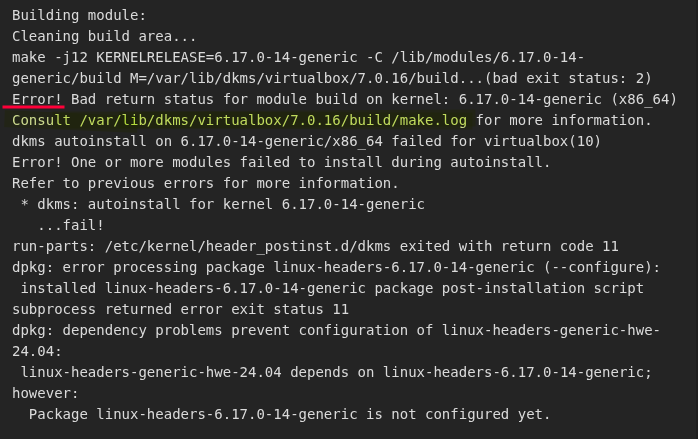
The error relates to Virtual Box, which I do have installed. It’s pretty core to the function this desktop serves for me. The error also says to check a specific make.log file for more information. In that log file, there are a number of errors about being unable to find specific .h files for including in builds. In my long-ago-C++ days, I recognize these as header files. And that’s where my knowledge of these files ends.
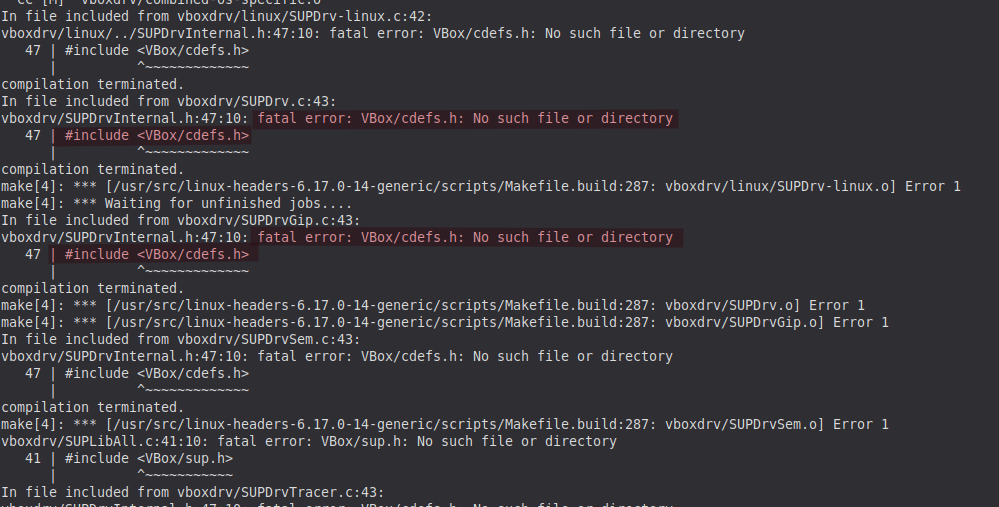
I did notice that the errors in the make.log file referenced similar package found in the earlier message where Virtual Box was mentioned:
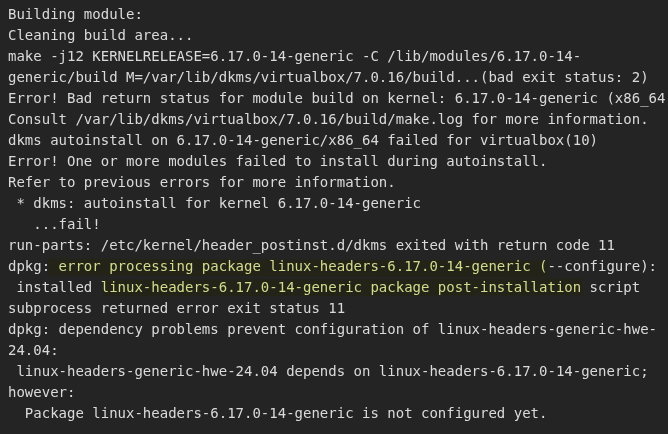
I felt like I was on to something.
From here I took parts of the error right to the Brave Search to look for potential solutions, and it gave me some fairly sensible direction:
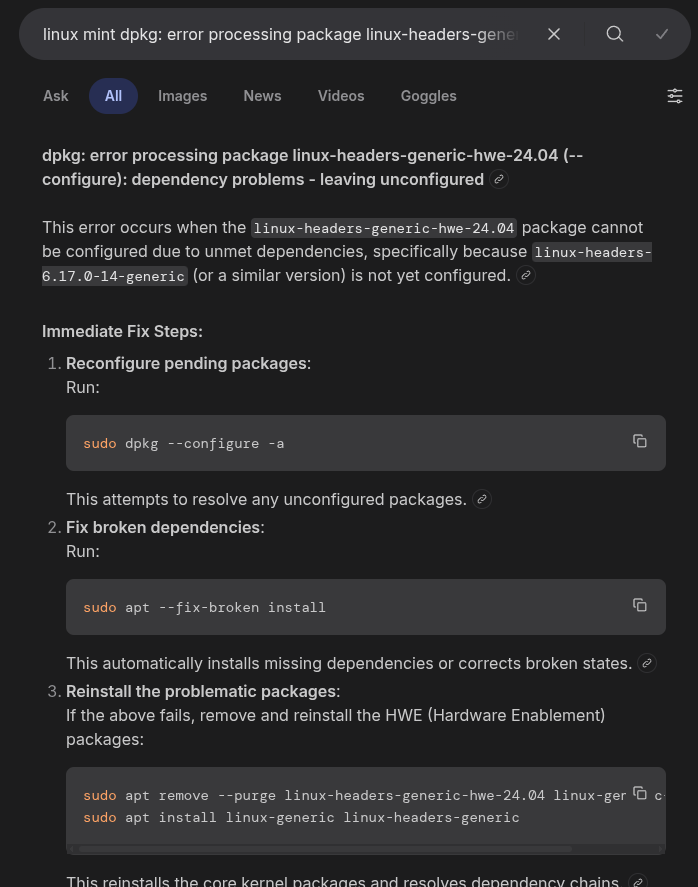
But here is where I think I made my first mistake (at least as I write this and look back at the “what went wrong”). More on that near the end…
The first tip was to attempt to reconfigure any pending packages. A reasonable first step, so I ran it:
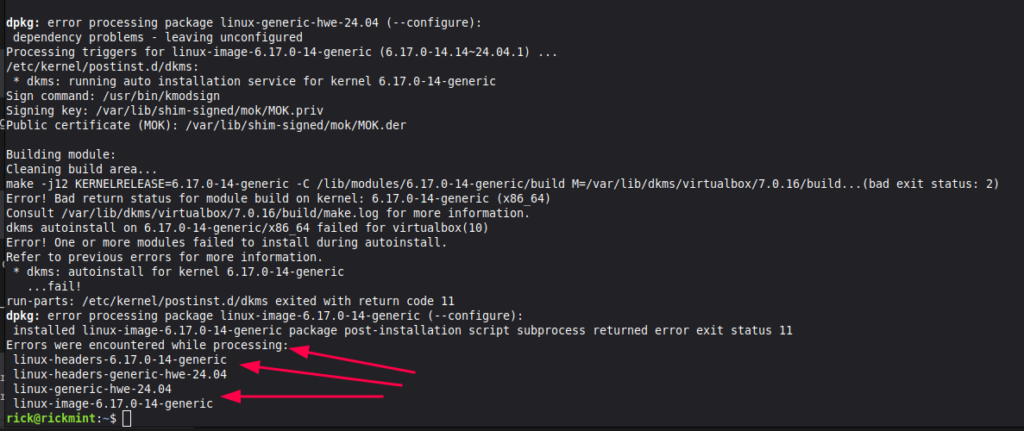
Seems stuck on these last four packages for some reason…
The second step was to attempt to fix broken dependencies – any dependencies that may be missing or just full on broken:
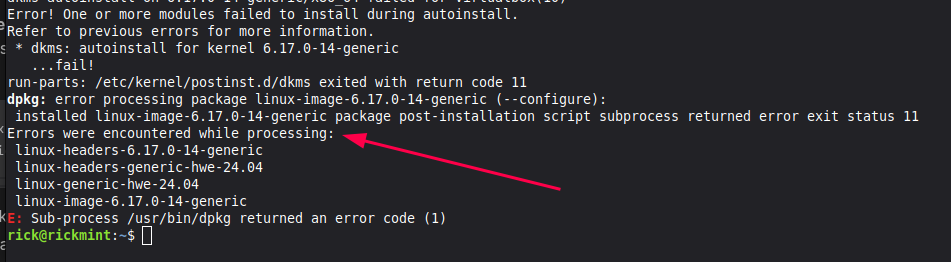
Same issue it seems.
Rather than explain my next step, I took a screenshot of the specific notes I wrote to myself as I worked through this:
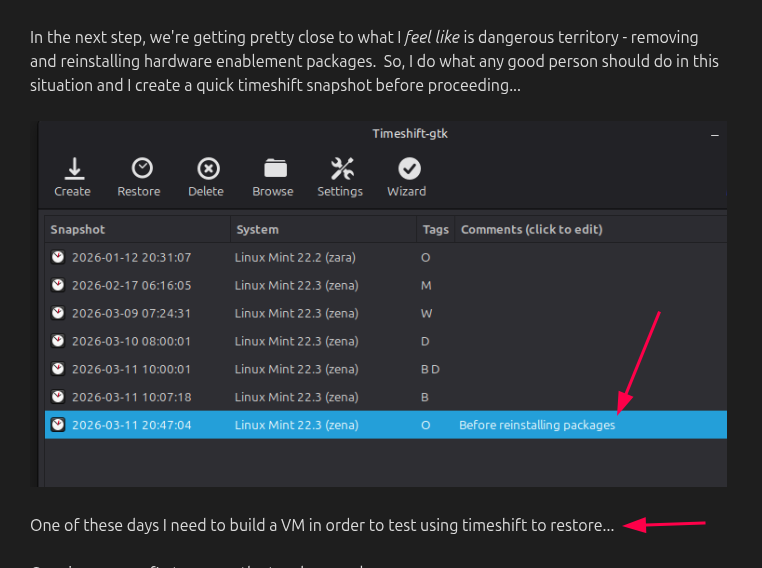
I feel like I was foreshadowing…
Reinstall the problematic packages. I followed along:
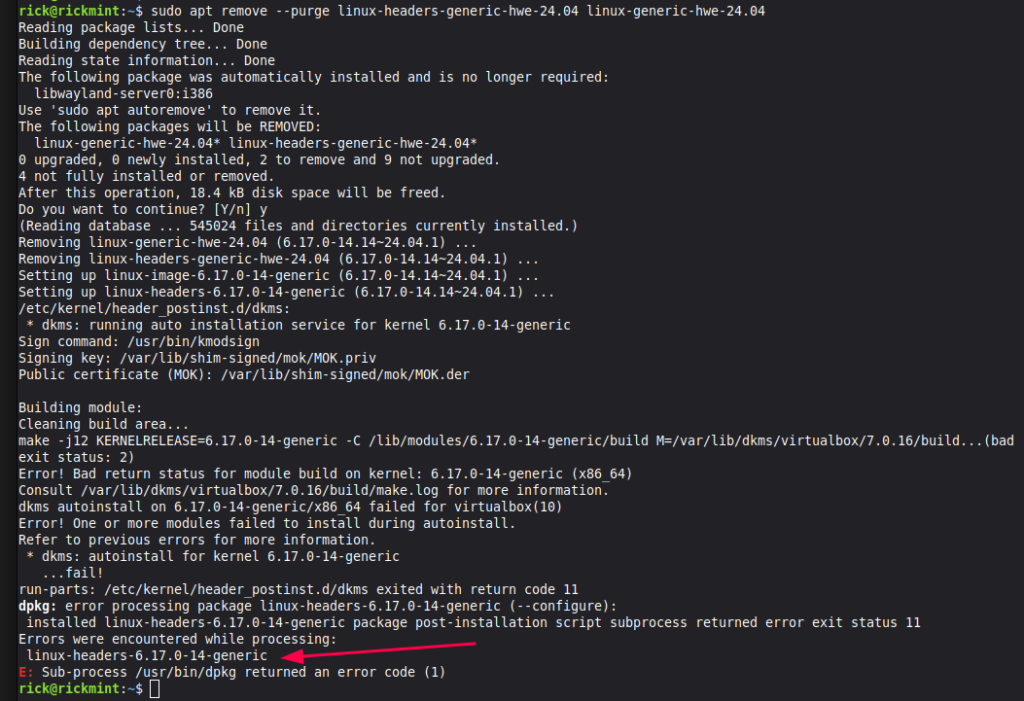
We’re down to just the one package giving errors. I thought this was progress, so I went ahead and run the install command to reinstall what I’d just removed. That process took perhaps two minutes in total, but this time I’m back up to two errors:
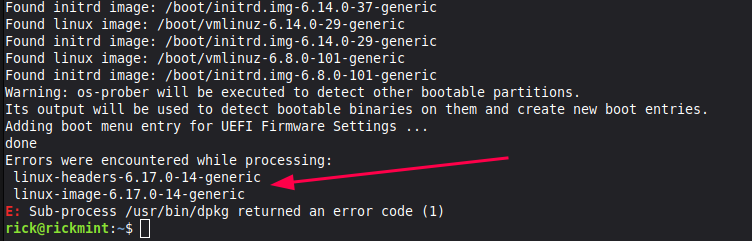
At this point I’m not sure if I’ve helped or hurt my cause. I decide to run the reconfigure packages again just to see if there was any change, and there was not.
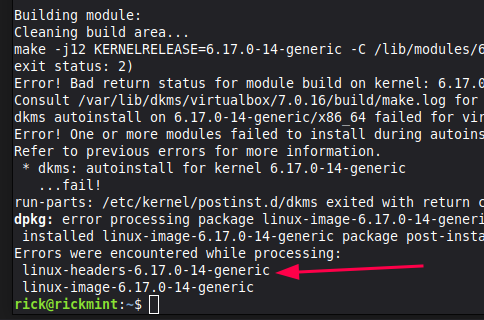
I took a step back and decided to search for any information on this new dpkg: error.... message I was seeing:
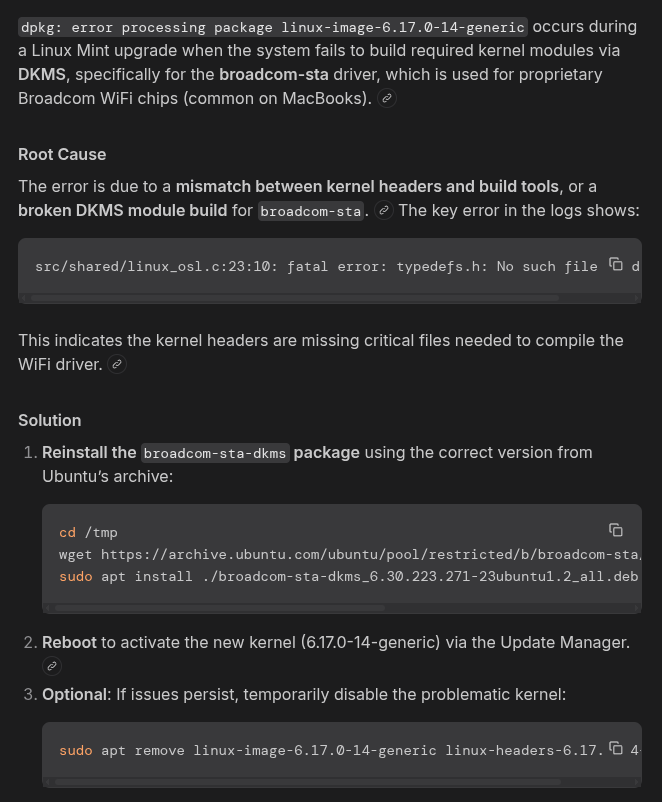
“Broadcom drivers, you say?” I haven’t added/removed any hardware since installing Mint on this desktop in early January, so I don’t think this is a rabbit worth chasing down the hole.
I took two steps back and remembered that from the very beginning this seemed related to Virtual Box somehow. And then it smacked me right in the face:
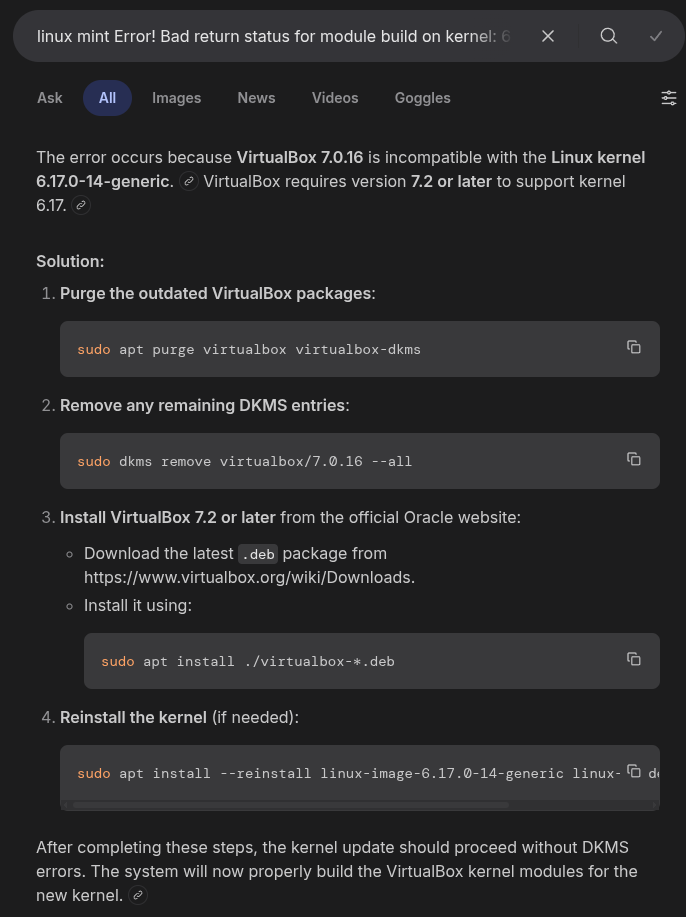
“VirtualBox 7.0.16 is incompatible with the Linux kernel 6.17.0-14-generic”
Oh dear. But, I think we’ve found root cause!
I often hear that people don’t like Linux Mint because of the slow-roll for the latest and greatest. It’s based on an Ubuntu LTS and it doesn’t change drastically as fast as others. So….perhaps that’s what I’ve bumped in to. While VirtualBox 7.2 is available for download on Oracle’s website, only version 7.0.16 is available through Mint’s Software Manager:
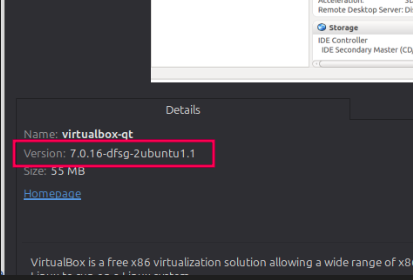
By this point, I’d done a little more research to ensure that if I removed VirtualBox it would leave my VM’s intact (which I read that it would), and my plan was to come back the next day and remove the older VirtualBox and manually download/install version 7.2
VFS: Unable to mount root fs on unknown-block(0,)
Uh oh – the next day I was greeted with the kernel panic. So now I had an entirely new adventure to embark on — how to safely fix this self-inflicted wound.
Luckily, my grub advanced screen had options to boot into older kernel versions, which ultimately got me back to where I am now. The broken kernel version was 6.17.0-14-generic and the previous one I had which worked is 6.14.0-37-generic
That said, while I was able to boot into the 6.14 kernel, I’d attempted a few things to “fix” my 6.17.
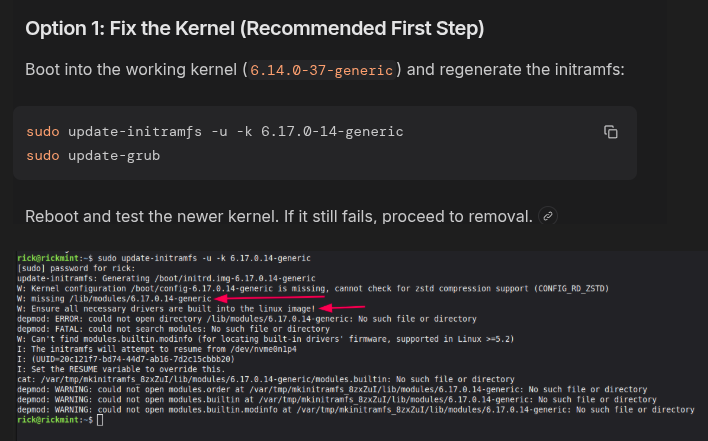
Well none of that really did the trick, and this time I’m told that there are some critical modules missing out of the kernel. I can only assume that I removed those modules.
The other thing I tried was using my Timeshift restore point that I took before I started voiding my own warranty, and curiously…..that didn’t fix anything. In the restore settings, I’d event checked the Update initramfs just in case that could help it along.
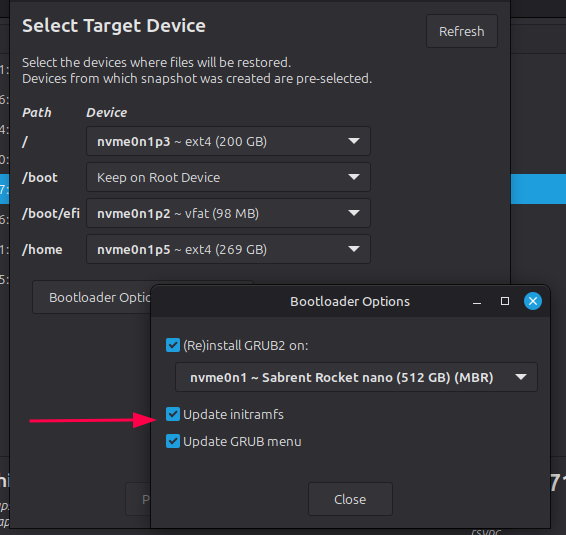
No dice.
I ended up going with the final recommendation, which is to remove the broken kernel and clean things up:
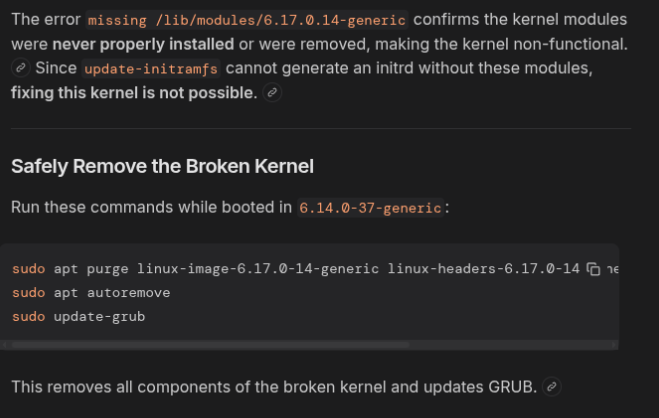
There were no problems or errors while doing that, I was able to restart safely and boot normally (albeit in the 6.14 kernel).
Proving I’m Wrong
I know I did a bad. I may have done a few bad’s. What I hope to do now is try to understand where I went wrong, and what I could have done differently.
Remember I hinted at my first mistake earlier? Well, my first search was for a slightly different error than I probably should have searched for.
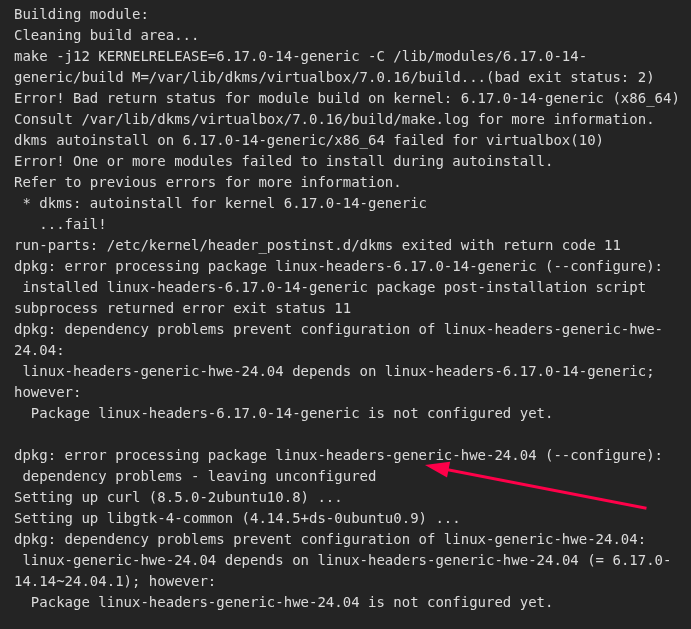
I plugged in this dpkg line which led me down the path of what I believe was my downfall – removing this header package.
I’m also curious why Timeshift didn’t fix my issues – I was under the (perhaps incorrect assumption) that Timeshfit was designed exactly for this kind of situation. Take a backup, bork some files, revert to the previous backup. Maybe I’m missing something there — but I want to understand that more as well.
Conclusion
I feel that situations like this must be taken as learning opportunities. As I’ve said in other posts, I’m not afraid to get my hands dirty in the terminal, though it’s clear I need better understanding of just what I’m doing. None of the actual commands I ran above seemed scary, and I obviously felt a certain level of comfort in running them, but the files and packages and modules I was working with were clearly more important than I realized.
In a way, it feels a little exciting to know that I stumbled my way into a mess and stumbled my way back out. Perhaps I got incredibly lucky, but when I think back to my early days of how I first learned to use Windows it all boils down to the same thing – trial and error. Fix what I break. Learn from the experience. That’s what I intend to do here as well…