Windows – My 30+ Year Journey
I’ve used nearly every iteration of Windows since the 3.11 days in the early 90’s (I was spared with Windows Me, but made up for that by suffering greatly with Windows 8 on a non-touch Desktop PC). Some of my first PC’s I’d used back then ran versions of DOS and Windows 3.11, and it was in those days where my initial love of computers began — how did this box work? What happened when I pushed the power button (or the “turbo” button!), and how was it magically starting up to this graphical environment? And more importantly, could do I get Doom2.exe to run properly??
Learning the answer to those questions helped forge what has ultimately become a career dedicated to supporting servers and systems in the Microsoft ecosystem – from Windows 2000 Server at my very first job, to supporting the Azure platform today, from building and managing Active Directory Domains, to building and managing Exchange Environments, SharePoint Environments, to now helping teams with PaaS and IaaS deployments in the cloud.
For my professional life, I’ve always been fascinating with how Microsoft Windows, and it’s products, interact with each other in networked / domain environments for businesses. While I still (hopefully) have some time left in my career, I honestly do look forward to what’s next for Microsoft as it continues to grow and evolve.
But that’s my professional life…in my personal life, I do not manage a Windows domain at home. I want my home computers to do just a few things – primarily to play games, manage finances, email, and simple office product usage. I want the Operating System out of my way, and working. I want it quiet, ready to do what I ask them to do. In short – I want to feel that this PC is still personal and mine, and I want to feel in control of what it’s doing.
Windows can easily play games, manage my finances, process email, and handle simple office products – so what’s changed? Well….two little letters became both the impetus for moving and the technology that helped me make that transition….
The Rise of the Machines (Well, AI at least)
I’ve seen a lot of tech trends in my career – the introduction of virtualization, the revolution that was mobile computing, cloud computing, streaming services, NFT’s, blockchain and crypto-currency. I would say, however, that the most recent trend has perhaps been the one with the greatest impact globally — AI.
AI, as a technology, is truly fascinating. As I’ll describe below, I use it fairly regularly. My concern though is how Microsoft (and to a much lesser extent, other major Technology companies) have been pushing the product into everything. Microsoft isn’t the only one, but they’re certainly trying to force us to use Copilot, when the reality is that I want to use it when I want to, and not when Microsoft tells me to.
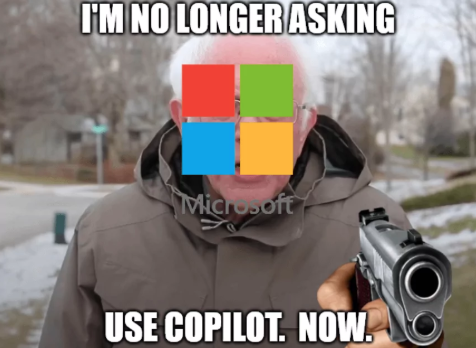
Focusing specifically on Microsoft and Windows, my concerns with the direction they’re taking the client space started pretty much when Windows 11 was released. But through 2025, and even into early 2026, Copilot’s integration into Windows 11 has been pretty aggressive, and it’s been pretty unfortunate to watch unfold (not to mention the significant problems with Windows 11’s recent patches and emergency patches).
I pay very close attention to just who is excited for AI and who is cautious. It doesn’t take a data scientist to scroll through LinkedIn or read various Technology journals and see just how many non-technical engineers are excited, while it’s the technical engineers who are cautious. I see this in my day-to-day as well. The deep technical people use AI to enhance their learning of topics, while the non-technical people are quickly drinking the kool-aid, believing that this will revolution everything while asking the rest of us to do the same…
But back to Microsoft – there’s been plenty of speculation around the increase in patching issues in late 2025 and into early 2026 after the announcement last year that up to 30% of their code is generated by AI, and we’re starting to see reports that AI-generated code isn’t nearly as good as people thought it would be (and I separate “AI-generate code” from code that AI-generated but fully reviewed and vetted by humans). If AI-generated code isn’t validated or vetted by humans, and potentially leads to problems in our Operating Systems (or even cause significant cloud outages), how are we to believe that Windows 11 is “more stable” and “more secure” than its predecessor (as every new Windows release is sold as being)?
But the true tipping points for me, and what ultimately set me on this adventure were the following three things:
- Seeing what Windows Recall is set to do, and knowing that it’s inevitably coming for all our desktops. Screen scrapes every few seconds to a local database that Copilot could search? To me this is unacceptable. A number of security researchers have already poked holes in the early preview feature when it was available. So much so, that Microsoft had to delay it’s official release back in 2024. It was finally released in April 2025, and only available to select Copilot+ PC’s with the AI-specific NPU chip (and currently as an opt-in), but the writing is on the wall — Microsoft wants Copilot watching everything we do, every day, so that it can train itself. And this entire feature feels like an absolute security nightmare…
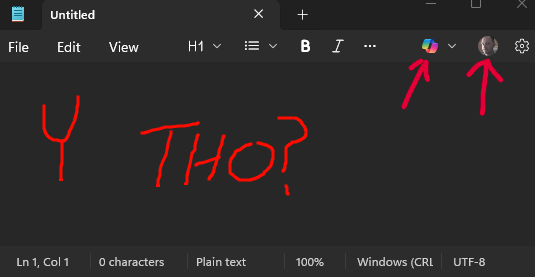
- Notepad and Paint do NOT need to be Copilot-integrated. There was a recent problem that caused certain core applications to simply not function. Notepad, Paint….even the Terminal were subjected to this bug. Notepad is, and should be, a simple utility. I’m baffled at why it has a Copilot button, and why it insists on showing me that I’m signed in to my Microsoft account. The application now is more complicated than it needs to be, having not had a lot of change from it’s early introduction into Windows all the way to Windows 10 where it had an “on-again / off-again” presence on the Microsoft Store. And by having Copilot slapped on to every single application in Windows, Microsoft is able to legitimately say that Copilot usage is up. Even though almost no one is asking for Copilot in Notepad. This isn’t making Windows better, it’s making it less desirable to use…
- The last item is one of those that people may have differing opinions on, but it’s that your bitlocker keys (which are fairly important), that Microsoft now is pushing you to backup to your OneDrive, will be given to the authorities if they ask. It leads me to simply ask the question – whose computer is this? Mine or Microsoft’s? Well, I grew tired of feeling like this wasn’t my computer.
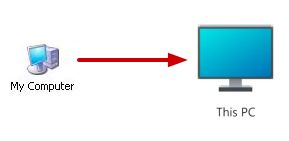
An honorable mention in the list above is the absolute destruction of the Start menu and it’s near-useless ability to show me just my applications, or actually search for just my files. With all of these issues above, it really felt like I no longer had an Operating System that was working for me, when I wanted it to. I’d had enough…
How I Approached The Migration
I have the luxury of owning multiple computers at home (one desktop that I built, and two Alienware laptops). My process was simple:
- Backup items to an appropriate location.
- Install Linux on the desktop first – use it for at least a week and get comfortable with it.
- Backup items on my older Alienware and convert that as well.
- Think about the final laptop and it’s role.
Backing up my data was made more difficult than it needed to be (by me, not any of the technology I have). I don’t use a cloud backup service, and I don’t really have more than 1TB of data that needing backing up, so I ended up ordering a pair of Seagate external USB-based 1TB drives and backed up two copies of everything.
I also bought a Cenmate 2-bay enclosure and a pair of 4TB drives with plans to create a direct-attached mirrored array where I can keep files going forward, but I haven’t found that I need to do this yet. It’s on my “to do” list though…
The actual installation of Linux on my Desktop was easy, and I’ve never really had a problem with installing Linux. Linux Mint (as nearly all the other major distributions) have very detailed documentation on how to install, which I didn’t really need to follow but appreciated that it was handy. I created a boot disk out of a spare USB stick, booted from it into the temporary desktop you get, and ran through the installer from the desktop shortcut that’s visible.
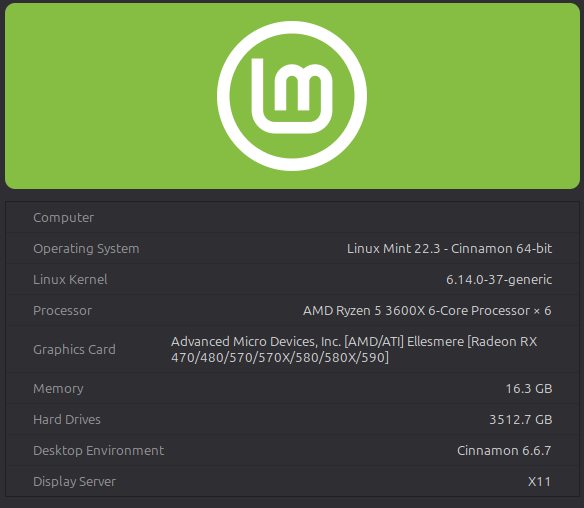
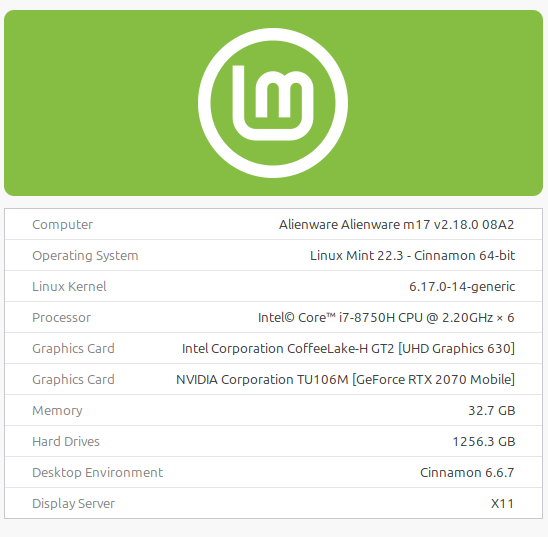
I should note that many articles that describe how to test out Linux nearly always say to “use a spare / old computer”, but there’s a very real danger in doing this. If you want to test out Linux on an old computer, just be aware that you may not have the easiest of time (depending on just how old the hardware is). My computer is not the latest and greatest by any means, but it’s also not a decade old:
My process for upgrading the older Alienware laptop (which is about 8 years old at this point) was identical (though I did get to install the proprietary nVidia graphics drivers, which really weren’t that bad to install), and once I had it running on that laptop I really felt like I was actually going to be successful at this.
Challenges and Roadblocks
The biggest challenge was going from an environment where I feel supremely confident in understanding and troubleshooting if things go wrong (Windows) to an environment where I lack that confidence and understanding. It was a mental hurdle that I had to overcome, but it was silly because I understand computers and technology in general. So the mental hurdle boiled down mostly to….laziness. That’s easy to overcome!
Landing Linux on the first of the three devices was actually easier than when I went to the second device. It was on device number two (the older Alienware) where I felt I was really crossing over and there may be no going back.
But you know what? It was fine – the – was ripped off, and here we are. No major problems almost two months later.
Rather ironically, as I set up my Linux machines and began to ask whether or not I could do X, Y or Z in Linux it was AI that helped me legitimately answer those questions, and in some cases, find solutions to problems I hadn’t even thought could be solved (I’ll have a future post on my Alienware keyboard situation). I’ve used the Brave browser now in Linux and Brave uses it own Brave Search as its default, which also has it’s own AI behind it. In almost all cases where I’ve used it to help me answer a question, understand a concept/command, or provide possible solutions it’s done an excellent job.
It probably needs to be said somewhere, but I don’t hate AI. I said in a somewhat snarky LinkedIn post last year that AI is a bit like alcohol, in that it amplifies your native abilities. For me, I use it to enhance and amplify my ability to solve problems and learn new concepts.
The Benefits – How Does it Feel?
As I mentioned, I’m just shy of two months now with 2 out of 3 machines fully converted (no dual boot), and honestly it feels hugely refreshing. Linux Mint gets criticized for not being at the forefront of the update cycles for packages but I’m perfectly happy with that. The Cinnamon desktop is extremely clean, it’s very easy to customize for my rather basic needs, and managing updates on my own schedule and without rebooting has been so nice. The frequency with which Windows still requires you to reboot after patches is just intrusive (you know….if the latest patch allows you to shutdown/reboot).
The two computers that have Linux on them now are actually performing better than they had with Windows. On my desktop PC, which previously had a fully-patched and updated Windows 11 installed, it would idle at about 30% RAM consumed. Now, with Mint installed, it idles at under 12%. That’s a greater than 50% gain in resources at idle (with similar default applications running at startup).
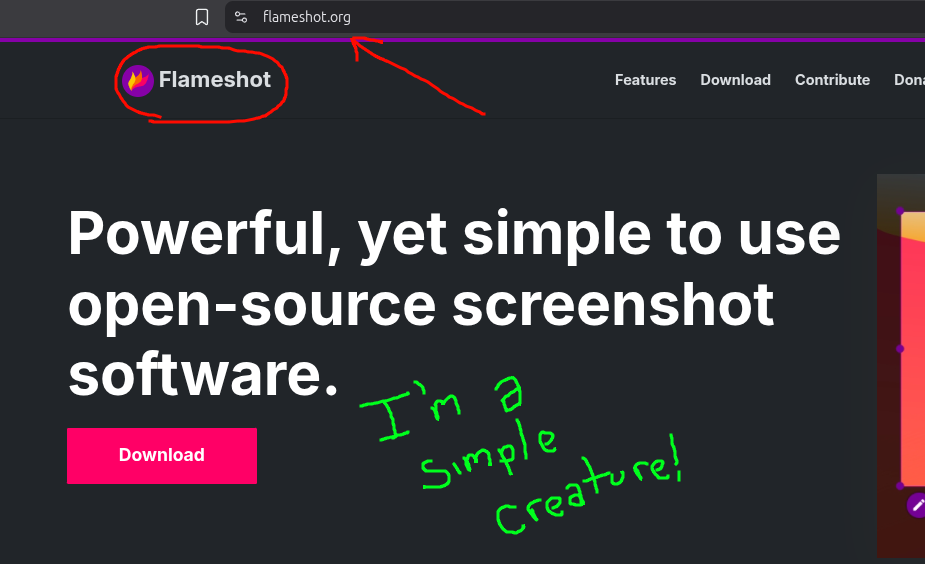
I really enjoy the variety of applications available as well. While I haven’t been able to get 100% of my applications fully working, and I do still use a Windows 10 VM inside Linux, nearly everything else I need has had reasonable alternatives. I think my favorite is a utility called Flameshot, which is like the Windows 11 Screen Snipping utility but allows you to scribble on the screenshot before you copy it.
Lessons Learned – Anything Missing?
I’ve learned a few things in the last two months, but primarily I learned that for the years and years of joking about the “Year of Linux on the Desktop”, I’m truly (and pleasantly) surprised at just how mature Linux is. 2026, for me at least, really is the year I’ve converted. To anyone considering it, it’s a lot easier than it seems, it’s not nearly as scary as it sounds, and it’s absolutely worth giving a try.
I think my third and final laptop, which is an Alienware gaming laptop I purchased in November 2025, will probably continue to run Windows 11 for a few more years. But it has a very high likelihood to be the last Windows machine I operate at home. There are really only two applications keeping me from a 100% full migration to Linux:
- Zwift – this is a huge one that I didn’t realize until I began the older Alienware transition. I tested wine (and learned about wine prefixes and even winetricks), bottles (and learned that it can also leverage wine under the hood), tried Lutris after watching an old YouTube video talked about it working (spoiler: the workaround’s no longer work), and even went so far as to try to run Zwift from within a VM. None of it worked. So my new laptop will stick with Windows for now so that I can run Zwift (and I’ll just hope that it can run on Linux by the time that laptop needs to be replaced).
- Quicken – another huge one for me. I really hate using the phrase, but I’ve been on a personal finance journey for a bit over 7 years now and Quicken has really been an important part of that. I’m happy with the current workaround I have, which is a VirtualBox-based Windows 10 VM with Quicken loaded inside – no Internet connectivity, no Microsoft Account tied to it (I do legally own the OS), and no Copilot or Ads intruding on what I’m trying to get done. I’ll continue to look at ways I could use something like KMyMoney as a replacement in the future, though the only way it would be possible (because I’ve already tried to export/import the data, and it doesn’t work) would be to set everything up and essentially stop using Quicken one day and start using another program the next (with balances up-to-date). I may still consider it…
Conclusion
There are dozens and dozens of articles, blog posts, and YouTube videos recounting people’s frustrations with Windows 11 over the last year, as well as other users’ migration to Linux. I wanted to add my opinion into that pile as well, because power users like myself need to know that Linux really is a viable alternative for home PC’s.
The last couple of months have been fun – I feel in control of these Linux machines now. I’m not being forced to use technology, or being served ads where they shouldn’t be shown. I can use either of these machines completely offline. The government doesn’t have access to copies of my spreadsheets. Linux has really helped turn “This PC” back into what it always should have been: “My Computer”.